Universal TV Remote Control
CodeMatics Media SolutionsHouse & Home
3.910.27K Reviews
- Version
- 3.5.0
- Installs
- 100.00M
- Age Rating
- Everyone
Screenshots
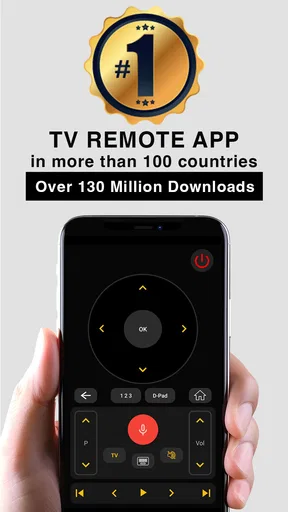
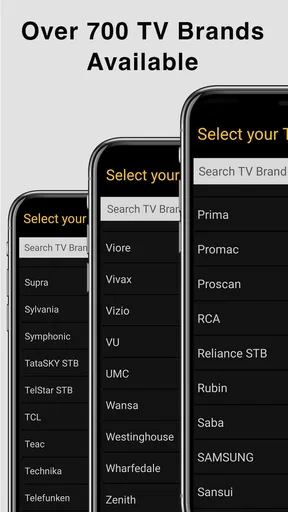
Our Review of Universal TV Remote Control
 Analysis by Appyee
I like the idea behind Universal TV Remote Control: when the physical remote is missing, a phone can be a convenient backup. But I would treat any universal remote app as a practical tool to test with your own television, rather than assume it will replace every button and habit of the original remote. The important question is not just whether the app can send commands, but whether it works with the TV and connection method you actually have.
Trust starts with a realistic expectation
CodeMatics Media Solutions makes this free House & Home app, which has an average rating of 3.9 from around 465,000 ratings and more than 100 million installs. Those numbers suggest that many people have tried it, but they do not tell me whether it will work with a particular television. I would use them as context, not as a guarantee. The app is rated for Everyone, was released on September 7, 2015, and its current version is 3.3.0, with Android 7.0 as the minimum operating system.
There is a useful distinction between broad compatibility and dependable compatibility. A universal remote can offer options for many televisions, yet still depend on the TV supporting the required control method. Smart TVs and older infrared models do not necessarily communicate with a phone in the same way. Before relying on an app for a household’s only remote, I would check the TV’s own settings and connection capabilities, then test the controls while the original remote is still nearby.
What I would check before relying on it
The sensible first step is to select the television brand and test a small set of commands: power, volume, and input. These tell you more than a long feature list does. If volume responds but input does not, that is still useful to know before settling down to watch; you can keep the original remote for the controls the app does not handle reliably. I would also test the setup from the usual seating position, since a control method that works only when standing beside the screen is not a comfortable everyday replacement.
For an infrared setup, the phone needs the appropriate IR hardware to send those signals. A TV having infrared does not, by itself, mean every phone can control it that way. For a smart TV, the phone and television may need to be able to communicate over the relevant network connection. I would not assume that the word “universal” removes these requirements. This is the main compatibility check to make before treating the app as more than an occasional backup.
The app is free to install, with in-app purchases ranging from $1.49 to $27.99 per item. I would try the basic setup first and decide whether it solves my actual problem before spending anything. A purchase is not a shortcut around incompatible TV hardware, so I would not pay on the assumption that doing so will make an unsupported connection work.
Data-sensitive moments and user choice
A TV remote app is most useful when it can communicate with a television, so the permissions and connection prompts shown during setup deserve attention. I would read each prompt in context and allow only what I understand to be needed for the connection I am trying to establish. If the app presents a choice, I would make it deliberately rather than tapping through automatically. That is a practical way to keep control of the setup without guessing at what the app collects or how it handles information.
I would also consider where and when I use the phone as a remote. If I am handing my phone to a child or a guest, the phone may expose far more than the TV controls. I prefer to keep the device in my own hands and show someone the particular buttons they need, rather than pass over an unlocked phone. That is not a claim about the app’s data practices; it is simply a sensible boundary when a personal device doubles as a household controller.
There is another small but helpful habit: avoid changing several connection or permission choices at once while troubleshooting. Test the TV connection, then try a command; if it fails, check the setup rather than granting unrelated access in the hope that it will fix the issue. A clear, one-step-at-a-time approach makes it easier to spot whether the problem is the phone, the TV, or the way they are meant to communicate.
Who benefits most, and who may prefer another option
I think the app makes the most sense as a backup for someone who regularly misplaces a remote, shares a living room, or wants to control a compatible TV without keeping another piece of hardware on the coffee table. It can also be handy when a physical remote is temporarily unavailable, provided the phone and television can establish a supported connection. I would keep the original remote within reach until I had tested the functions I use most.
It is less compelling for someone whose TV depends on buttons the app does not expose, whose phone lacks the hardware or connection needed, or who wants a guaranteed replacement without any setup. In those cases, the manufacturer’s own remote app—if one is available for that television—or a replacement physical remote may be a better fit. A dedicated remote also has the advantage of being ready to hand without unlocking a phone, opening an app, or worrying about the phone’s battery.
For example, if I am about to start a film and cannot find the remote, I would first try the app’s power and volume controls from my usual seat. If both work, I can continue watching and use the phone as a convenient stand-in. If power works but navigating the TV’s menus is awkward, I would use the phone for simple adjustments and retrieve the original remote for setup or less common commands. That split approach is more realistic than expecting one app to be equally good at every task.
Another useful test is to try the controls across more than one session. A quick successful connection is encouraging, but the app needs to be dependable in the room where you will use it. If the TV is shared, ask another household member to try the main buttons too; their experience may reveal whether the layout is clear enough for occasional users. This kind of practical check matters more than assuming that a long compatibility list guarantees a smooth fit.
What’s the Deal with This App?
Imagine having a remote that works with pretty much any TV out there. That’s exactly what the Universal TV Remote Control promises. It’s like having a magic wand for your television, and it’s all packed into your smartphone. No more digging between couch cushions or playing hide and seek with your remote.
Getting Started
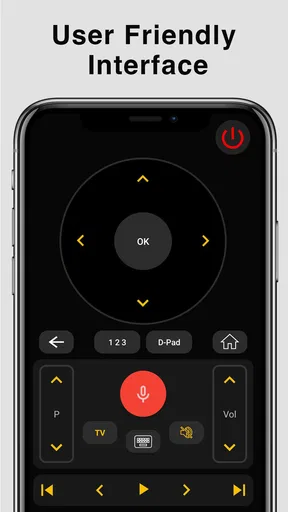
Setting up the app is a breeze. Once you download it from the app store, you’re just a few taps away from controlling your TV. The interface is intuitive, so even if you’re not the most tech-savvy person, you’ll get it up and running in no time.
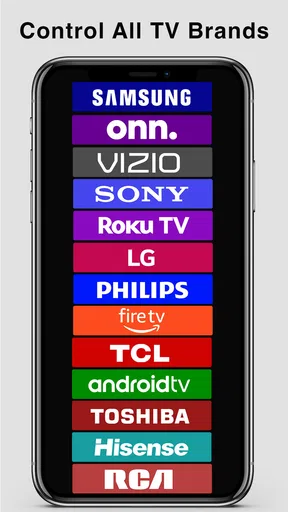
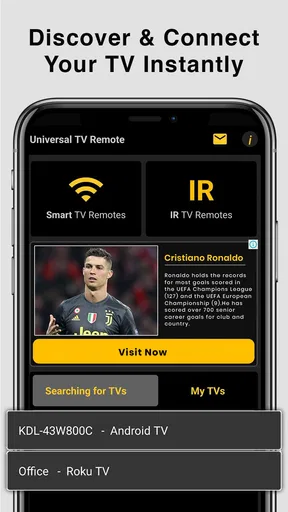
The app supports a wide range of TV brands, which is pretty impressive. From Samsung to Sony, and even some lesser-known brands, it’s got you covered. Just select your TV brand from the list, and you’re good to go. If your TV is a bit older, fret not—the app is compatible with infrared (IR) technology, which many older TVs use.
Features That Stand Out
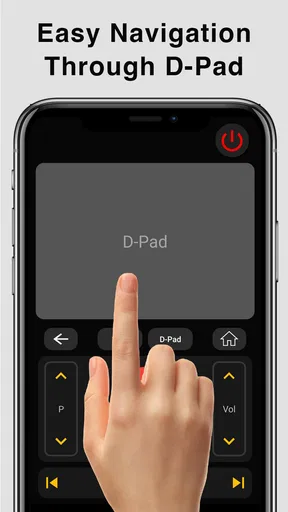
Let’s talk features. First off, the app comes with all the basic remote functions you’d expect: volume control, channel changing, and input selection. But it doesn’t stop there. You can also use it to access smart TV features, which is super handy if you’re streaming Netflix or YouTube.
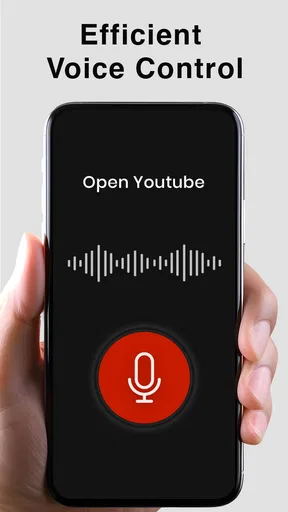
One of my favorite features is the voice command option. It’s like having your very own Siri or Alexa for your TV. You can just say, "Turn up the volume," or "Change to channel 5," and voila! It’s perfect for those moments when you’re too comfy to even move a finger.
Real-World Use
So, how does it perform in the real world? Pretty darn well, I’d say. The app connects quickly, and there’s minimal lag between your command and the TV’s response. I’ve used it during movie marathons, and it hasn’t let me down yet. The only hiccup I encountered was with an older TV that didn’t have IR capabilities, but that’s more of a hardware limitation than an app issue.
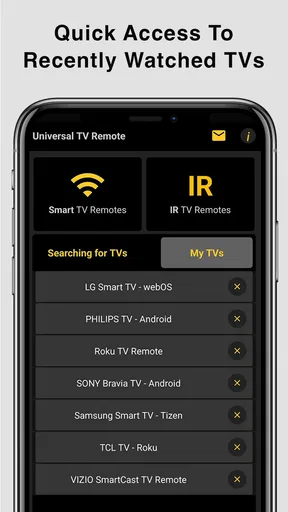
Another cool feature is the customization options. You can set up different profiles for different TVs, which is great if you’re using the app in multiple rooms or even different houses. It’s like having a universal remote for every screen you own.
Why You’ll Love It
At the end of the day, the Universal TV Remote Control app is a lifesaver for anyone tired of dealing with missing or broken remotes. It’s especially useful for families, where remotes tend to disappear more often than socks in a dryer.
Plus, it’s always nice to have one less gadget cluttering up your living space. With this app, your smartphone truly becomes an all-in-one device, simplifying your life one click at a time.
So, if you’re on the hunt for a reliable, easy-to-use TV remote app, give this one a shot. It might just become your go-to for all your TV-watching needs.
Ready to ditch the old remote for good? Check out the download links and start your hassle-free TV experience today!
A cautious verdict for everyday use
I would recommend trying it if a missing remote is a recurring nuisance and your TV can connect through a method your phone supports. The strongest reason to keep it installed is convenience: one less physical remote to hunt for, with familiar controls available on a device you already carry. The main trade-off is that your phone is not automatically a drop-in replacement. Compatibility, the connection process, and the controls you actually need all matter more than the universal label.
For someone who watches casually and mostly needs volume or basic navigation, a successful setup could be enough to make the app worthwhile. Someone who frequently adjusts advanced picture settings, switches between several devices, or wants a simple controller guests can use without instruction may be happier with the TV’s original remote or a dedicated replacement. I would make that choice after testing the app rather than replacing the physical remote immediately.
My overall view is cautiously positive: this is a useful convenience to try, not a promise that every phone can control every television. Start with the basic commands, pay attention to connection and permission prompts, and keep another way to control the TV until the app has proved itself in your room. If it passes those checks, it can be a handy backup; if it does not, the manufacturer’s option or a physical remote is the more dependable answer.
Privacy and Permissions
See what permissions an app requests and how it handles your data.
- Microphone
- record audio
- Wi-Fi connection information
- view Wi-Fi connections
- Other
- view network connections, allow Wi-Fi Multicast reception, connect and disconnect from Wi-Fi, full network access, control vibration, prevent device from sleeping, Google Play license check
Verdict
Strengths of Universal TV Remote Control
- Easy setup with most TV brands.
- User-friendly interface for quick access.
- Supports multiple TV functionalities.
- Regular updates for compatibility.
- No additional hardware required.
Limitations of Universal TV Remote Control
- May not work with older TV models.
- Ads can be intrusive at times.
- Requires stable Wi-Fi connection.
- Limited support for smart features.
- Some buttons may be unresponsive.
Similar Picks in This Category
View All
AlfredCamera Home Security app
Alfred Systems Inc.4.7

Planner 5D: AI Home Design
Planner 5D4.5

Universal Tv Remote-Cast to TV
One Music Player4.1

Zillow: Homes for Sale & Rent
Zillow Group4.8

99acres Buy/Rent/Sell Property
infoedge.com4.3

Urban Company: InstaHelp &more
Urban Company4.8
You May Also Like
View All

Frequently Asked Questions
Is the Universal TV Remote Control app compatible with all TV brands?
The Universal TV Remote Control app is designed to be compatible with a wide range of TV brands, including popular ones like Samsung, LG, Sony, and Panasonic. However, it may not support some older or less common models. It's always a good idea to check the app’s compatibility list on the developer’s website or app store page before downloading.
Does the Universal TV Remote Control app require internet connectivity to function?
No, the app does not require an internet connection to function once it is set up. It uses your device's built-in IR blaster to communicate with your TV. However, for initial setup or updates, an internet connection might be necessary. Ensure that your device has an IR blaster, as this is crucial for the app’s functionality.
How do I set up the Universal TV Remote Control app on my device?
Setting up the app is straightforward. First, download and install it from the app store. Open the app and follow the on-screen instructions to select your TV brand and model. Ensure your device's IR blaster is facing the TV for proper connection. Some TVs may require additional setup steps, which will be prompted in the app.
Are there any in-app purchases or ads in the Universal TV Remote Control app?
Yes, the app is free to download but may contain ads. There are often in-app purchase options available to remove ads or unlock additional features, such as enhanced remote functions or support for multiple devices. Check the app store description for detailed information on in-app purchases and pricing.
What should I do if the Universal TV Remote Control app doesn't work with my TV?
If the app doesn’t work with your TV, first ensure that your device has an IR blaster and that it’s functioning properly. Try restarting both the app and your TV. If issues persist, consult the app’s support or FAQ section for troubleshooting tips. It may also help to check for any available updates that could enhance compatibility.
